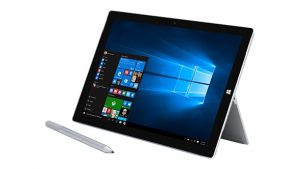
 Lawyers and their tablets: it’s a match made in heaven. Tablets offer mobility and flexibility, so it’s no wonder that they’ve become increasingly popular with lawyers over time. While tablets are not yet as commonplace as smartphones, they’re an important part of the day-to-day lives of many lawyers.
iPads and Android devices are the most popular with lawyers, but Surface Pros tend to generate a tremendous amount of interest each time I write about them. So when Kelsey Mayo reached out to me after I’d written about a lawyer and his iPad, and offered to share how she uses her Surface Pro in her transactional practice, how could I turn her down?
Kelsey is a partner with Poyner Spruill, a mid-sized North Carolina law firm. Kelsey works with business owners and executives to manage employee benefits and executive compensation matters, with a focus on managing complex defined benefit plans and executive retirement plans.
As an attorney with a document-intensive transactional practice, she has come to rely on her Surface and uses it regularly in her practice. But according to Kelsey, it wasn’t always that way: “The main reason I started using the Surface was for organization and access. When I first started practicing, when a client called I would grab the nearest legal pad and start taking my notes, then would put the notes in a physical file and grab them when needed. But when I started scaling my practice, I began working from different offices and meeting with clients more often.”
As she began to travel more frequently, her needs began to change. Her increasing mobility resulted in a need for greater flexibility and continuity, which she found in the Surface. The Surface, combined with the power of cloud computing, transformed the way that she practices law.
“Because of my frequent trips, I started to use the Surface and OneNote, so I now have my notes no matter where I am,” she explains. “I simply pull up a client’s OneNote file and there are my notes from our last call (in much better quality than a scan, by the way). I hit the button for a new page when the client calls and it is filed immediately. This efficiency and access allows me be more responsive to clients, regardless of where I happen to be working that day.”
By relying on her Surface and taking advantage of the many benefits of cloud computing, she’s able to remain client-centric, even while on the road. “With a national practice, some might feel they have to choose between being with clients in person or staying put and getting the work done. I don’t have to choose. I have everything that I need to be onsite with a client and still get the work done. I no longer have to tell clients that I will contact them in a couple of hours when I get back to the office. It makes both me and my advice readily available.”
By storing documents online, she’s able to use the Surface during client meetings, providing better, more efficient client service in the process. “I routinely use my Surface in client meetings. Because it’s the size of a legal pad, it’s quite unobtrusive if I’m just using it to take notes. However, because it has the full power of a laptop, I can snap on the type pad and make adjustments to files in real time when needed,” she says.
“For example, with one client, I shared a spreadsheet in advance. When the client arrived, she told us that late-breaking news would change some pertinent facts, but I didn’t have to go back to my office and analyze the situation. Instead, I popped my application open, entered the new information, and we looked at the impacts right then and there. My client was very receptive. That type of nimbleness and responsiveness adds real value for business owners who are trying to react quickly in an ever-changing environment.”
According to Kelsey, technology is a tool that, when used wisely, can make all the difference. The key is to educate yourself and make an informed decision when choosing the tools to use in your firm. “Don’t be afraid to try it and hate it. I have tried a host of different technology solutions — from new applications to new hardware. Some solutions I love; some solutions I hate. Some I try once and don’t like, then try later and love. Keeping an open mind and being curious about new solutions is the key to managing the ever-changing landscape of new technology.”
So that’s how one attorney uses a Surface Pro in her practice. As always, if you or an attorney you know is using technology in a creative or unusual way, drop me an email at [email protected]. I’m always looking for new attorneys — or judges, law professors, or bar associations — to feature in this column.
 Nicole Black is a Rochester, New York attorney and the Legal Technology Evangelist at MyCase, web-based law practice management software. She’s been blogging since 2005, has written a weekly column for the Daily Record since 2007, is the author of Cloud Computing for Lawyers, co-authors Social Media for Lawyers: the Next Frontier, and co-authors Criminal Law in New York. She’s easily distracted by the potential of bright and shiny tech gadgets, along with good food and wine. You can follow her on Twitter at@nikiblack and she can be reached at [email protected].