
Most law firms have no shortage of technology these days, but that might be part of the problem.
A firm can have one system for prospects, another for documents, and still more tools for scheduling, client communications, reporting and accounting. Stitching them together takes time that could be better spent on winning a case.
“That’s the main problem we’re solving,” SmartAdvocate Chief Technology Officer Igor Selizhuk said during a recent demonstration. “We make law firms more efficient and more organized.”
The case management platform manages a matter from lead cultivation and intake through settlement, bringing document management, automation, reporting, client communications, and drafting into a single system. This year, SmartAdvocate has also added built-in AI functionality to its system, and it has launched its own built-in accounting software.
Getting Started
SmartAdvocate’s opening screen, called “My SmartAdvocate,” is less a universal homepage than a personalized command center.
An attorney might see active cases, upcoming appointments, assigned tasks and approaching deadlines. An intake employee can display lead information, while a manager with the proper permissions might monitor settlements or statutes of limitations that are set to expire.
“This screen is not for the firm overall. This is for me,” Selizhuk said. “These are my cases. These are tasks assigned to me. These are my critical deadlines coming up.”
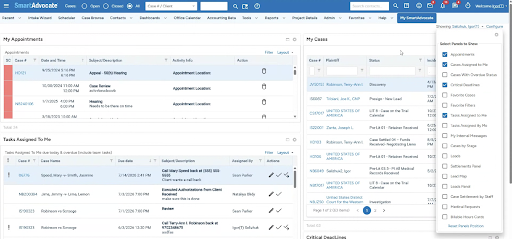
Users can show, hide, move and rearrange the panels, and SmartAdvocate remembers the layout. They can also work directly from the dashboard to reschedule an appointment, complete a task, open a case, or perform a quick action.
Beyond that personal starting page, the software offers purpose-built dashboards. An intake follow-up dashboard automatically identifies leads requiring attention. A negotiation dashboard shows cases in active negotiations with adjusters or opposing counsel and lets users add notes and tasks. A managing attorney can examine settlements and fee production for the year, then drill into individual matters.
Cultivating Leads Before They Become Clients
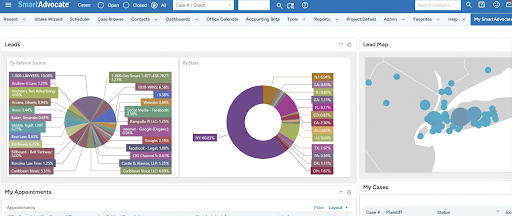
For plaintiffs’ firms, case management begins even before they have the case.
SmartAdvocate doesn’t generate leads, as the marketing, billboards, commercials, and websites still have that job. But it is one of the only case management systems that helps cultivate them. Staff can capture prospect information, assign leads, schedule follow-ups and search for a record by name, email address or phone number.
When a prospect hires the firm, their records are automatically updated in the system.
SmartAdvocate also retains the source of each lead. When the case eventually settles, managers can use reports and dashboards to connect the result with how the client arrived to the firm.
Managing the Rest of the Case
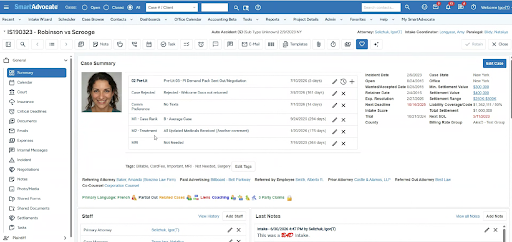
Once a client signs, SmartAdvocate organizes the deadlines, appointments, communications, expenses, negotiations and documents surrounding the matter. The case layout can change by practice area, displaying vehicle information for an automobile accident without cluttering a family law matter with irrelevant fields.
During the demonstration, Selizhuk generated a case-opening letter for an auto-accident client. A template pulled in the firm letterhead, client address, case number, and even the assigned attorney’s signature. “Literally in two seconds, the document gets generated,” he said.
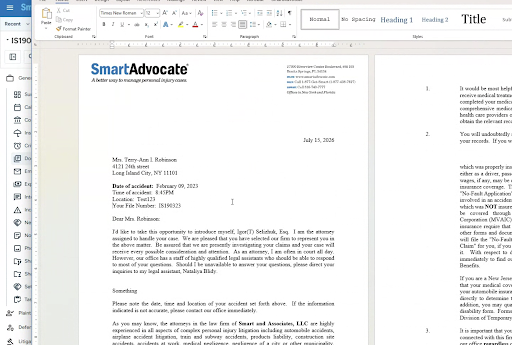
The letter opened in Word for editing. When Selizhuk returned to SmartAdvocate, it was already saved in the correct case and labeled as a plaintiff letter, without having to categorize it manually.
SmartAdvocate can also trigger work automatically. If a case moves into litigation, for example, the system can send the client an email explaining the next phase. The template inserts the names and phone numbers of the assigned attorney and paralegal, and the sent message is saved to the case.
The platform tracks case expenses and fee arrangements as well. At settlement, it can calculate the distribution using the recovery, expenses, attorney’s percentage and any referring-attorney fee.
Reporting receives the same practical treatment. Selizhuk demonstrated a statute-of-limitations report showing deadlines within a chosen period. Instead of depending on someone to run it, a lawyer can schedule the report to arrive by email every Monday at 9 a.m.
Putting AI to Work on the Case
SmartAdvocate’s newest capabilities come through SmartIntelligence™, its collection of built-in AI tools.
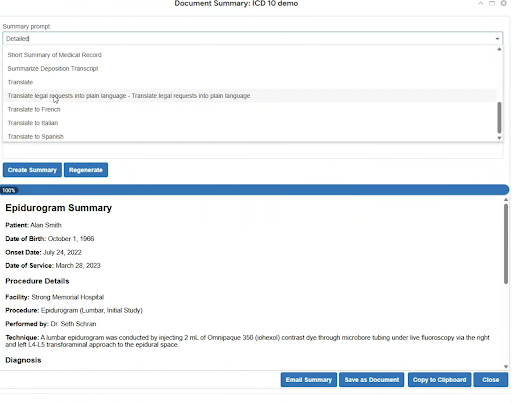
Some address small but frequent tasks. An AI rewrite button can correct grammar or adjust the tone of an email or text message without requiring the user to paste client information into a separate consumer chatbot, which could also compromise the security of the information. A lawyer can ask the system to summarize a document or, as Selizhuk demonstrated, translate it into Spanish.
Other features tackle heavier legal work. Case AI lets a user ask natural-language questions such as whether the firm has received medical records, what injuries appear in the file, or what the case’s strengths and weaknesses may be.
“You’re not talking to ChatGPT like a generic model,” Selizhuk said. “You’re talking to a purposely built AI process pipeline where it only gets information from your case.”
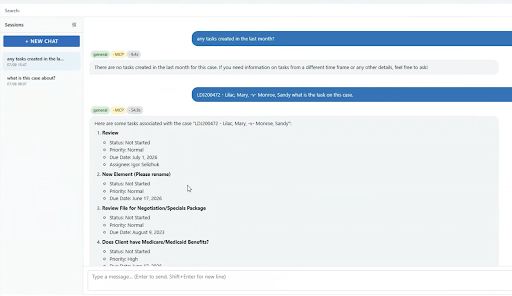
If the answer cannot be found in the case data or documents, the system is designed to say so. When it does provide an answer, it cites the source document, which the user can open directly to verify the information.
AI powers several other functions as well, such as when Selizhuk dragged an incoming file into SmartAdvocate. Within seconds, the software identified the correct case number, recognized it as correspondence from GEICO, selected “letter from insurance company” as its category and subcategory, and produced a summary. The same process can be applied to hundreds of scanned or uploaded documents.
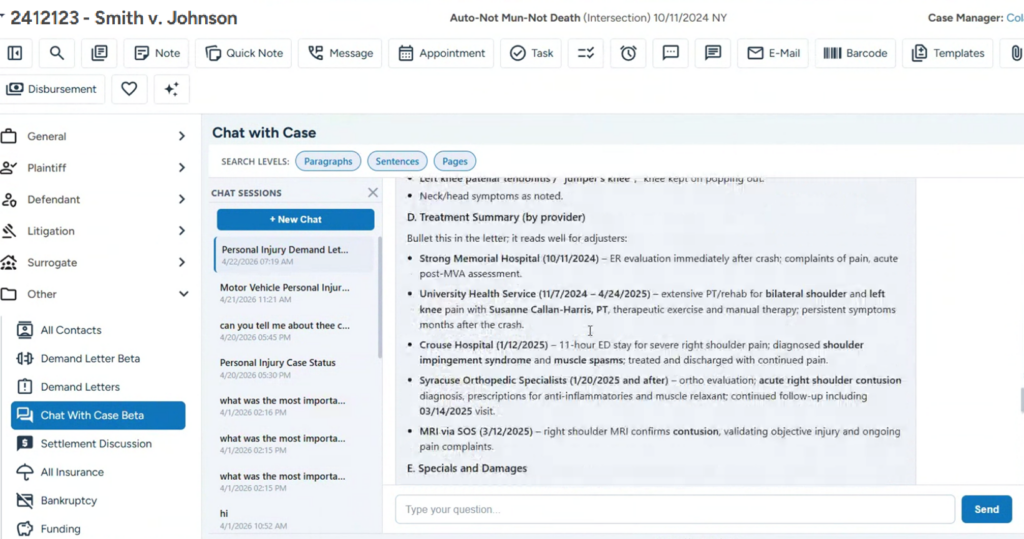
With SmartIntelligence, users can also create medical chronologies, get help writing demand letters and use it to draft email responses. A voice bot can use the firm’s existing intake script to speak with a prospect and create a lead record. Alternatively, an AI assistant can listen to a human employee’s intake call, offer live guidance, and automatically place details such as the caller’s name and address into the proper fields.
Award-Winning Customer Service
The technology is backed by an in-house team that has won multiple awards for ushering new clients into the system. Real people help firms with implementation, data migration, training and support.
“You only deal with us and our staff,” Selizhuk said. “If there is an issue, we are responsible, and we’ll work with you to address it.”
Their approach has earned outside recognition. In 2026, Software Advice named SmartAdvocate “Best for Customer Satisfaction in Law Practice Management” and “Best for Quick Adoption/Easy Adoption in Legal Case Management.”
To get a first-hand look, click here for a demonstration.